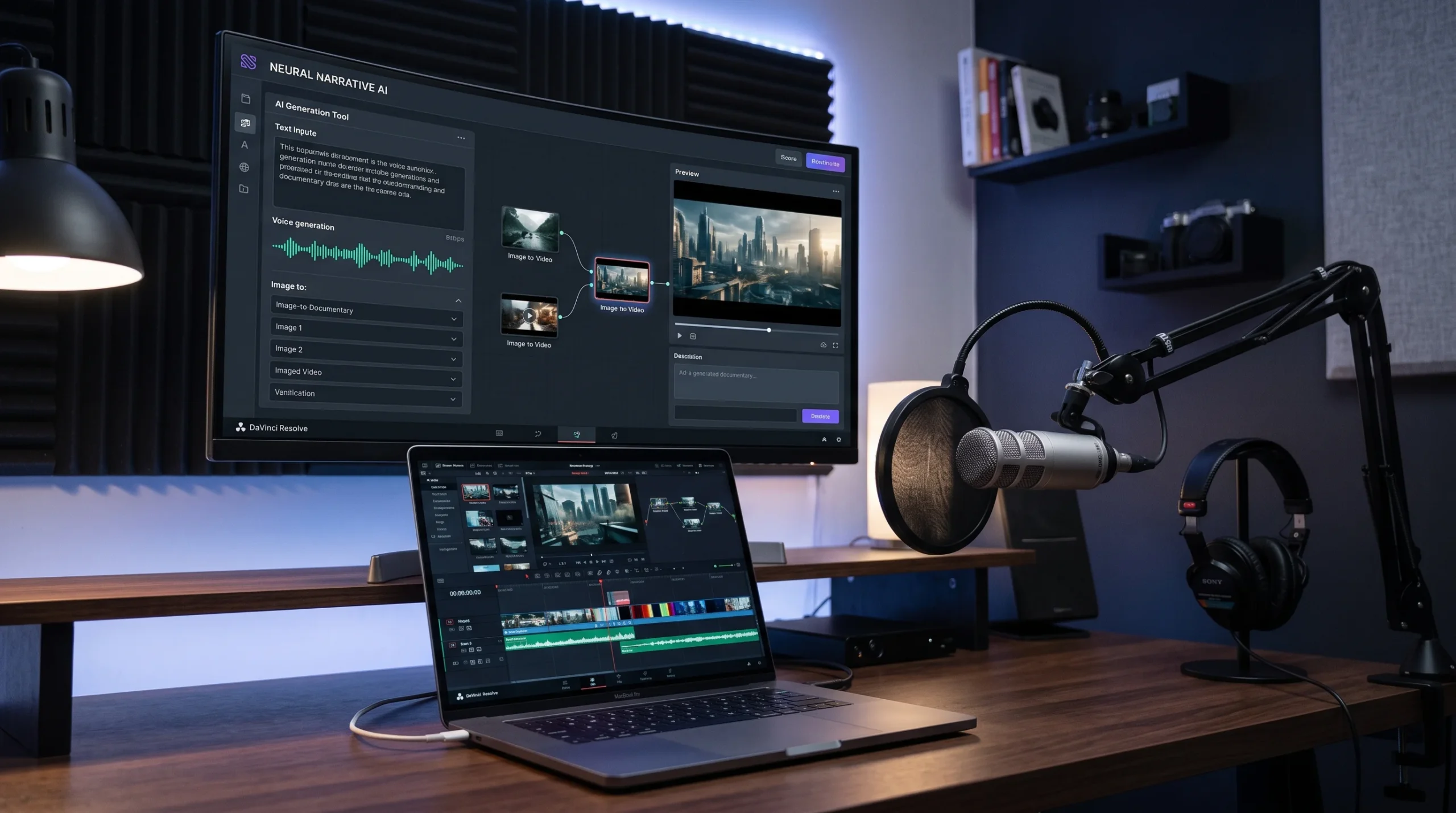
You want to start a YouTube channel, but there is one major roadblock: you do not want to put your face on camera. Maybe you value your privacy, hate being on lens, or simply lack high-end studio lighting and a DSLR camera.
The barrier to entry has completely collapsed. Generative video engines, hyper-realistic voice synthesizers, and intelligent editing workflows make it entirely feasible to run a media brand from your laptop without ever revealing your identity.
Producing mass AI slop will get your channel flagged or demonetized. YouTube’s algorithm rewards original storytelling, high audience retention, and genuine human curation.
Here is the exact blueprint to build, scale, and monetize a profitable faceless YouTube channel using modern AI workflows.
When I launched my first faceless project, I spent nearly three sleepless days tweaking a single six-minute video—terrified that the pacing felt too synthetic and the audience would immediately click away. But watching the retention curve later proved a simple truth to me: viewers don’t care whether there’s a human face in the corner of the screen; they only care whether you respect their time with a compelling, well-paced story.
Why Faceless Channels Are Thriving
Faceless channels remove the biggest bottleneck in video creation: personal appearance and studio logistics. Instead of spending hours styling sets and doing retakes, you shift focus entirely to the mechanics of audience engagement.
Lower Overhead: No need for expensive cameras, teleprompters, or soundproofing.
Infinite Scalability: Once a production pipeline works, you can outsource or automate pieces to manage multiple channels.
Asset-Driven Value: A faceless brand relies on concepts, logos, and narrative arcs rather than an individual persona, making the channel easier to sell as a business asset later.
The Good and the Bad: Faceless AI Channels
Before investing your time, consider both sides of the coin.
Advantages
Challenges
Complete creator privacy
Lower initial audience emotional connection
Faster production workflows
Risk of demonetization if content is repetitive
Broad global market appeal
Stiff competition in low-effort niches
Easier to pivot or rebrand
Heavy reliance on tight storytelling to retain viewers
5 Profitable Faceless Niches
Avoid generic quote channels or repetitive motivational reels; the market is saturated with them. Instead, target niches where visual information matters more than a talking head:
True Crime & Unsolved Mysteries: Viewers tune in for suspense, archive b-roll, and atmospheric audio.
Documentary & Geopolitics: Data maps, historical reenactments, and strategic deep-dives command high watch times.
Personal Finance & Tech Breakdowns: Screen shares, animated charts, and case studies deliver high RPM (revenue per thousand impressions).
Historical “What If” Scenarios: Narrative speculation paired with stylized AI visuals captures strong curious-click volume.
Sci-Fi & Futuristic Concepts: Space colonization, deep-sea exploration, and speculative engineering naturally lend themselves to AI-assisted conceptual imagery.
Step 1: Research High-Retention Topics (The Data-Driven Approach)
Do not guess what people want to watch. Creators who rely on intuition alone often spend 20 hours producing a video that plateaus at 40 views. On YouTube, topic selection accounts for roughly 70% of a video’s success, while production quality only decides whether viewers stick around once they arrive.
To build a sustainable faceless channel, your research workflow must focus on uncovering topics with proven demand, low immediate fatigue, and strong curiosity gaps.
1. The “Outlier Method” (Spotting Proven Demand)
The single most reliable way to find winning topics is analyzing competitors for statistical anomalies:
Find 10–15 Direct Competitor Channels: Look for mid-sized channels in your niche (between 10,000 and 150,000 subscribers). Large channels get views based on brand loyalty alone, while mid-sized channels get views strictly based on topic appeal.
Filter by Recency (Last 60–90 Days): Sort their video tab by “Latest,” not “Popular of All Time.” An idea that went viral in 2021 might be completely saturated or irrelevant today.
Identify the 3x to 5x Outliers: Scan for videos that dramatically outperformed that channel’s baseline. If a creator averages 8,000 views per upload, but published a video three weeks ago that generated 65,000 views, the algorithm flagged that specific topic for wide audience appeal.
Analyze the Angle, Not Just the Keyword: Ask why that video outperformed the others. Was it a shocking stat, a counter-intuitive premise, or breaking news?
Real-World Example:
A finance channel routinely posts videos titled “How to Budget in 2026” (averaging 5,000 views). Suddenly, a video titled “Why the 50/30/20 Rule Is Quietly Keeping You Broke” pulls 120,000 views.
The Takeaway: The audience is tired of basic budgeting tutorials; they are hungry for contrarian takes that challenge common financial advice. Your move is to explore a related contrarian thesis (e.g., “The Emergency Fund Trap: Why Saving 6 Months of Cash Hurts You”).
2. Mine the “Content Gap” via YouTube Search Insights
Navigate to YouTube Studio ➔ Analytics ➔ Research.
Enter broad seed phrases related to your niche (e.g., “cybersecurity,” “ancient history,” “electric aviation”).
Look for the “Content Gap” badge. This tag indicates that viewers are searching for a specific query, but they either:
Abandon the search because existing results are outdated or low quality.
Click away quickly because the videos do not directly answer the query.
These gaps represent ready-made traffic opportunities where a well-paced, highly engaging faceless video can easily rank and secure immediate algorithmic push.
3. Exploit Google Trends & “Breakout” Search Queries
While long-tail search terms deliver steady evergreen traffic, high-velocity topics give new channels the rapid view spikes needed to hit monetization thresholds quickly.
Set Google Trends to “YouTube Search” rather than general web search, and set the timeframe to the past 30 or 90 days.
Check the “Related Queries” module at the bottom of the page and sort by “Rising” instead of “Top.”
Look for keywords flagged as “Breakout” (meaning search volume surged by more than 5,000%).
Real-World Example:
In a tech-documentary niche, general searches for “quantum computing” yield flat lines. However, a filter on rising queries surfaces a breakout term like “post-quantum encryption protocol transition.”
By jumping on this rising search curve before major media outlets produce long-form explainers, a faceless explainer channel can capture thousands of views with virtually zero competition.
4. The Curiosity Gap Formula: Turning a Topic into a Hook
A strong topic is meaningless if the framing is mundane. Before you write a single sentence of your script, test your topic idea against the Curiosity Gap Matrix:
Boring/Informational:“History of the Concorde Supersonic Jet” (Feels like homework; viewer expects a dry Wikipedia recitation).
Clickbait/Vague:“This Plane Was Pure Insanity!” (Too generic; loses trust immediately).’
The High-Retention Frame:“Why the World’s Fastest Passenger Jet Never Made a Dime” (Clear subject, counter-intuitive premise, promises an untold business conflict).
Before committing to a production pipeline, ensure your topic can be expressed as a conflict, an unsolved question, or a counter-intuitive truth. If you cannot explain in one sentence why someone scrolling their feed at midnight would stop to click, discard the topic and keep digging.
Step 2: Write an Emotionally Gripping Script (The Retention Engine)
A slick visual edit cannot rescue a hollow script. While dynamic b-roll holds eyes for three seconds, narrative tension is what keeps viewers watching for ten minutes.
The fundamental weakness of unedited AI text is that large language models default to an academic tone: passive voice, repetitive vocabulary, predictable sentence rhythm, and an urge to neatly summarize everything. To build a channel that prints watch time, treat your AI tool as a dynamic first-draft generator, not an autonomous screenwriter.
1. The 30-Second “Micro-Hook” Architecture
The first 30 seconds dictate your retention curve. YouTube’s retention graph drops steepest here; if you lose more than 35% of your audience before the 45-second mark, the algorithm will choke your video’s distribution.
Ditch channel introductions, logos, theme songs, or polite pleasantries like “Welcome back, today we are discussing…” Instead, use the C-S-P Hook Framework:
Context (0–5 seconds): Establish the core subject instantly so the viewer knows they are in the right place.
Stakes (5–15 seconds): Introduce what was lost, what was risked, or why the consensus view is dangerous.
Payoff Promise (15–30 seconds): Reveal the unique question or realization the video will resolve—without spoiling the answer.
Example Script Hook (Geopolitics / Tech Niche):
Weak / Generic Opening:“Lithium is a very important metal used in modern batteries for electric vehicles. In this video, we will examine why it matters for world trade.”
High-Retention Opening:“In 2021, an obscure salt flat in South America became the center of an invisible billion-dollar bidding war. Two superpowers were racing to control a single mineral deposit—and the country that won it used a quiet contract loophole nobody saw coming.”
2. The Open Loop Technique (Delaying Gratification)
An “open loop” is a psychological narrative device where you introduce an unsolved puzzle, plant a question, or forecast a dramatic turning point, and then intentionally delay the answer.’
Every time you answer a question in your script, open another loop immediately before transitioning to the next chapter.
How to implement it:
Avoid linear chronological recitations (e.g., “First he did X, then Y happened, then Z followed”).
Frame historical transitions around cause-and-effect mysteries: “By 1998, the company had captured 80% of the market. But behind closed doors, their lead engineer had already spotted a 14-line code error that would erase everything.”
Now, the viewer cannot leave; leaving means abandoning the resolution of that code error.
3. Prompting AI for Dynamic, Conversational Cadence
When asking an AI model to draft a video script, generic prompts like “Write a 1,500-word script about the fall of Blockbuster” produce lifeless corporate summaries. You must constrain its tone, pacing, and syntax.
Use a layered system prompt like this:
Act as a documentary screenwriter and narrative journalist. Write a script section focusing on [INSERT TOPIC/BEAT]. Rules for execution: Write in the active voice and conversational spoken English. Vary sentence length aggressively: pair short, punchy 3-word sentences with longer explanatory ones to create dynamic tempo. Avoid academic buzzwords: do not use “delve,” “tapestry,” “testament,” “paramount,” or “in conclusion.” Use sensory details: describe sounds, temperatures, pressures, and specific dollar figures rather than abstract concepts. Do not summarize the topic at the end of each section; end sections with narrative cliffhangers or unresolved tension.
4. The “Read-Aloud” Human Polish (Scrubbing the AI Polish)
Once the draft is generated, your job as human editor begins. A script meant for the ear sounds fundamentally different from text written for the eye.
Sentence Rhythm Check: Read the script aloud at your target speaking pace. If you run out of breath mid-sentence, the sentence is too long. Break it in two.
Replace Jargon with Concrete Metaphors: If an AI script reads: “The reactor suffered an unprecedented thermal runaway event caused by systemic regulatory failures,” change it to: “The core was superheating twice as fast as the cooling pumps could supply water—and the control room operators had shut off the backup alarm ten minutes earlier.”
Add In-Line Audio & Visual Cues: Hardcode visual notes directly into the manuscript text. Writing brackets like [SFX: Heavy steel door slam] or [ZOOM-IN: Redacted document margin] forces you to pace your narrative around visual changes, preventing “script sprawl” where the speaker talks for two minutes with nothing changing on the screen.
Step 3: Produce Natural, Conversational Voiceovers (Beating the Robot Detector)
Audio constitutes 50% of the viewer’s cognitive experience. A viewer will tolerate mediocre 1080p footage if the audio is immersive and crisp, but they will bounce within five seconds if the voiceover sounds like a flat, metallic GPS assistant.
Modern text-to-speech (TTS) engines have solved raw pronunciation, but they still struggle with emotional context, spontaneous pacing, and micro-inflections. Making synthetic speech sound authentically human requires deliberate text formatting, dynamic model selection, and post-production audio mastering.
1. Choose the Right Voice Profile for Your Niche
Do not pick the default popular voice from your generation platform. Default voices become recognizable across thousands of low-effort channels, triggering an instant sub-conscious “slop alert” in experienced viewers.
Match your vocal texture directly to your genre:
True Crime & Dark History: Low-register, gravelly, slower pace (roughly 130–140 words per minute), with a slight vocal fry and deliberate, heavy pauses.
Documentary & Geopolitics: Authoritative, steady, neutral broadcast tone (mid-Atlantic or mild British RP accent), articulate consonants, and an objective, journalistic cadence.
Finance & Tech Explainers: Energetic, upbeat, slightly faster cadence (155–170 words per minute), with expressive pitch variance to keep dense numbers and abstract data lively.
AI voice synthesizers read punctuation literally. If you paste a standard written paragraph into an audio generator, the engine will read it with unbroken, mechanical momentum. You must re-punctuate the script specifically for the voice model.
Use Em-Dashes (—) for Thought Interruptions: An em-dash forces the engine to cut a thought short, mimicking the way human speakers re-frame an idea mid-sentence.
Use Ellipses (...) for Atmospheric Anticipation: An ellipsis forces the synthesizer to taper down pitch and insert a micro-breath before delivering a punchline or dramatic revelation.
Use Strategic Line Breaks: Most neural voice models interpret paragraph breaks as full reset pauses. Splitting complex thoughts into distinct lines prevents the voice from “rushing” into the next sentence.
Spell Complex Terms Phonetically: If the AI mispronounces foreign names, acronyms, or historical terms, rewrite them phonetically rather than grammatically.
Before & After: Formatting for Speech Synthesis
Standard Text (Mechanical Output):“The market crashed in October 1929 because brokers issued margin calls that retail investors could not cover, triggering widespread panic on Wall Street.”
Phonetically Sculpted for AI Audio (Conversational Output):“By October of 1929… the entire game fell apart.Brokers started calling in their loans. Margin calls—everywhere. And ordinary retail investors? They couldn’t cover a single dime. That is the exact second the panic hit Wall Street.”
3. Injecting Emotion via SSML and Prompt Steering
Many modern voice generators accept either SSML (Speech Synthesis Markup Language) tags or natural language directional prompts (voice steering) to dictate emotional temperature.
If your tool supports directional steering, write emotional instructions directly before the lines:
[Tone: Whispering, tense, conspiratorial] Nobody in the room knew the wiretap was already running. [Tone: Sudden shock, high energy, urgent] Then, at 3:00 AM—the primary breaker blew. [Tone: Dry, analytical, matter-of-fact] The damage totaled roughly four hundred million dollars. In less than forty seconds.
If using SSML-compatible tools, manually adjust rate and emphasis tags:
<speak>
  He didn't just misplace the keys.
  <break time="600ms"/>
  He <emphasis level="strong">threw them</emphasis> into the furnace.
</speak>
4. The 4-Step DAW Polish: Making AI Audio Sound Studio-Recorded
Raw audio exported straight from an AI generator often sounds sterile, overly dry, and unnaturally compressed. Running your voice track through a free Digital Audio Workstation (DAW) like Audacity—or your video editor’s built-in audio rack—makes a dramatic difference.
High-Pass / Low-Cut Filter (Remove Rumble): Cut off all frequencies below 80 Hz. AI generation algorithms often produce subtle low-end digital artifacts or sub-bass hum that clutters phone speakers and headphones.
Parametric EQ (Tame the “Boxy” Digital Resonance):
Apply a narrow cut (-2 to -3 dB) around 400 Hz to 600 Hz to remove the hollow, “cardboard box” sound common in synthetic speech.
Add a gentle high-shelf boost (+1.5 dB) around 10 kHz to 12 kHz to introduce “air” and crisp vocal articulation.
De-Esser (Kill Harsh Sibilance): Synthetic voices often produce piercing “S”, “T”, and “Ch” sounds. Place a de-esser centered between 5 kHz and 7 kHz to soften harsh consonants without dulling clarity.
Room Tone / Ambient Floor: A true dead silence between words sounds fake to the human ear. Mix in an ultra-low volume track (-36 to -42 dB) of subtle studio room tone, vinyl crackle, or ambient tape hiss underneath the voiceover. This masks the artificial silence when the AI stops speaking, tying the vocal track seamlessly into your background music.
Step 4: Generate and Source Dynamic Visuals (The Retention Layer)
Visual stagnation is the silent killer of faceless channels. On YouTube, visual pacing dictates watch time: if an image remains unchanged on screen for more than four seconds, viewer attention rapidly decays.
The most common rookie mistake is relying on a single visual source—either flooding the timeline with generic, plastic-looking AI renders or using overused corporate stock footage of people shaking hands in glass conference rooms. High-performing faceless channels operate like digital documentary studios, building a hybrid visual pipeline that blends custom generative video, archival public domain assets, and kinetic motion graphics.
1. The Multi-Model AI Video Stack
Rather than relying on one catch-all tool, modern faceless workflows use specialized engines based on the specific type of shot required:
Cinematic B-Roll & Atmospheric Establishing Shots: Generative engines like Runway Gen-3/Gen-4 and Google Veo 3 excel at photorealistic landscapes, historical cityscapes, and dramatic aerial sweeps with believable natural lighting.
Complex Physical Interactions: Models like Kling and Luma Dream Machine handle dynamic motion well—such as liquid splashing, fabric blowing in heavy wind, or vehicles turning—without melting into digital distortion.
Stylized & Fast Social Visuals: Tools like Pika allow rapid iteration for punchy, stylized 3D conceptual scenes and quick object replacements.
2. The Director-Prompting Framework
Vague prompts yield generic stock-style footage. To generate production-grade video clips, format your prompts around four specific cinematic parameters: Subject + Camera Motion + Lighting/Environment + Lens/Aesthetic.
Shot Objective
Amateur Prompt
Director-Level Prompt
Historical Cold War Lab
“Old secret laboratory with scientists”
“Slow forward tracking dolly shot through a dim 1960s subterranean laboratory, flickering fluorescent tube lighting, reel-to-reel computers, heavy volumetric fog, anamorphic lens flare, 35mm film grain, hyper-realistic, 4K”
Financial Crash Concept
“Stock market falling down charts”
“Extreme close-up macro shot of a vintage mechanical stock ticker tape catching fire, burning paper embers floating in slow motion, harsh dramatic shadows, high contrast, cinematic depth of field, 24fps”
Cybersecurity / Espionage
“Hacker typing on a computer”
“Low-angle orbit shot of glowing server racks in an empty data warehouse, cool cyan and amber LED backlight, atmospheric dust motes, cinematic motion blur, realistic tech documentary style”
3. Image-to-Video (I2V): Maintaining Character & Scene Consistency
Text-to-video often suffers from “visual drift,” where a person or setting looks entirely different in every cut. The professional workaround is Image-to-Video (I2V):
Lock the Subject First: Use a high-fidelity image generator (such as Midjourney or Flux) to produce the exact character, object, or room setting with a consistent seed and style reference.
Bring the Still into Motion: Import that precise still into an animator engine (like Runway or Kling).
Control Movement via Motion Brushes: Instead of typing a new scene prompt, use motion brushes or directional arrows to animate only the intended elements—such as smoke rising from a chimney, rain hitting a window, or subtle head turns—leaving the core subject’s identity completely intact.
4. The 60/30/10 Hybrid Visual Asset Rule
To prevent your video from feeling like an artificial AI reel, construct your timeline using the 60/30/10 Asset Mix:
60% Curated B-Roll & Generative Video: Use custom AI clips for scenes that cannot be filmed (historical recreations, conceptual metaphors, future tech) and pair them with high-grade royalty-free stock footage (from platforms like Artlist, Storyblocks, or Pexels) for grounded, everyday realism.
30% Archival & Public Domain Material: Pull genuine historical photographs, declassified government records, newspaper clippings, and museum archives (via Wikimedia Commons or the US National Archives). Real artifacts build immediate viewer trust and give your channel journalistic credibility.
10% Kinetic Motion Graphics: Display animated charts, highlighted document excerpts, and motion-tracked labels. When presenting data, do not just speak the numbers—animate a bar graph climbing or draw a glowing red circle around an authentic document signature.
5. Eliminating Static Frames (The 3-Second Rule)
Never allow any graphic or clip to sit frozen on the screen. If you must use a still photograph, document, or map, apply subtle dynamic motion to simulate an active camera rig:
The 2.5D Parallax Effect: Cut out the foreground subject in Photoshop or an AI background remover, place it on a separate timeline track above the background, and move them in opposite directions at slightly different speeds to create a true three-dimensional depth cue.
Continuous Push/Pull: Apply a continuous 1.05x to 1.10x slow digital zoom-in on key visual focal points, or use a slow horizontal pan across wide maps and ledger sheets.
Texture Overlays: Drop a subtle 4K film grain overlay or light dust texture on top of clean AI visuals at 5% to 8% opacity. This breaks up the plastic-smooth digital sheen native to neural network outputs, blending disparate visual assets into one cohesive, cinematic visual identity.
Step 5: Edit for High Audience Retention (The Assembly Engine)
Editing is where raw, disconnected assets transform into a compelling visual narrative. On YouTube, editing is not merely cutting out dead air; it is active attention management. Every cut, sound effect, and graphic shift serves one core objective: resetting the viewer’s cognitive attention clock before boredom triggers a bounce.
If your video feels slow, viewers will not wait for the payoff. High-retention editing relies on structured timeline architecture, psychological pacing, and immersive sensory design.
1. The Timeline Layering Blueprint
A chaotic timeline leads to a flat, amateur edit. Structure your editing software (such as DaVinci Resolve, Premiere Pro, or CapCut) using a standardized track stack to keep pacing cohesive:
Track V4 (Top): Motion Overlays & Texture: Film grain (set to 5%–8% opacity), cinematic letterbox bars, light leaks, and subtle camera shake presets.
Track V3: Kinetic Typography & Callouts: Bold on-screen text, highlighted documents, arrows, and animated stat counters.
Track V2: Cutaways & B-Roll: Generated AI video clips, archival photos, and reaction b-roll that visually reinforce spoken points.
Track V1: Primary Visual Bed: Establishing scenes, primary topic footage, or animated base maps.
Track A1: Master Voiceover: Clean, processed, normalized vocal track with zero background noise.
Track A4: Dynamic Music Bed: Ducked background score that shifts according to the emotional tone of the script.
2. The 3-to-4-Second Visual Reset (Pattern Interrupts)
The human brain adapts rapidly to static stimuli. To maintain high audience retention, introduce a pattern interrupt every 3 to 4 seconds. A pattern interrupt does not mean frantic, chaotic cuts; it simply changes the viewer’s focal point.
Hard Cuts vs. J-Cuts / L-Cuts: Avoid letting every audio cut match the video cut precisely. Use J-cuts (letting the sound of the next scene play 0.5 seconds before the visual appears) to drag the viewer’s attention forward across transitions.
Focal Length Toggles (The Digital Push): If a single shot must run for 6 seconds, apply a digital cut mid-sentence and scale the frame from 100% to 115%. This mimics a multi-camera studio setup and refreshes visual focus instantly.
Speed Ramps: Take slow AI-generated video and add subtle speed variations: speed through an initial camera motion, snap to real-time for the subject reveal, and ease out into a slow-motion hold.
Auto-captioning every single word in bright yellow or green is a common trap from short-form TikTok content that wears out long-form YouTube audiences. Subtitles should highlight impact, not transcribe a speech.
Keyword Emphasis Only: Display text on screen only for pivotal data points, shocking statistics, or foundational phrases (e.g., “$4.2 Billion Lost”, “The Redacted Memo”, “Zero Survivors”).
Motion-Driven Reveals: Do not let text simply pop in. Use subtle position-tracking, directional wipes, or paper-unfold animations paired with a sharp mechanical click or soft paper-rustle sound effect.
Document Highlighting Effect: When displaying archival newspaper headlines or declassified PDFs, desaturate the background page to dark gray and apply a soft, glowing yellow or teal highlight box directly over the critical sentence as the narrator reads it.
4. The 3-Tier Sound Design Matrix
Audio does the heavy emotional lifting. Without rich sound design, even the crispest 4K visual edits fall flat. High-retention audio uses three distinct layers:
Layer
Purpose
Examples
Execution Rule
Punctuation SFX
Anchors on-screen movement
Deep sub-bass thuds, metal clanks, camera shutter clicks, paper slides
Match exactly to the visual frame where an asset enters or scales up.
Place 1 to 2 seconds before an open loop closes or a major plot beat drops.
5. Adaptive Music Pacing (Ducking & Tone Shifts)
A single royalty-free acoustic loop playing under a ten-minute video is an open invitation for viewers to click away. Your music score must mirror the emotional temperature of your script.
Dynamic Audio Ducking: Automate your music track so it sits at roughly -22 dB to -26 dB while the voiceover is active. The instant the narration pauses for dramatic effect, raise the music by +6 dB to +8 dB to allow the track’s rhythm to carry the scene.’
The “Drop-Out” Technique (The Power of Silence): Right before delivering the primary punchline, shocking revelation, or critical data takeaway, cut the music and all sound effects entirely for 1 full second. The sudden vacuum of silence forces the viewer’s brain into alert mode, making the subsequent vocal line land with maximum impact.
Track Switching Every 90–120 Seconds: Shift background tracks whenever the video moves to a new thematic chapter. Move from an ominous, low-tempo drone during the problem setup to a driving, percussion-heavy electronic track when unpacking the investigation or solution.
Packaging: Thumbnails and Click-Through Rate (CTR)
Even a masterpiece will fail if nobody clicks. Your thumbnail and title work as a single unit.
Contrast and Simplicity: Design thumbnails that are easily legible on mobile screens. Stick to one clear focal subject and a maximum of three or four bold words.
Avoid Duplication: If your title says “Why Rome Fell,” your thumbnail should not repeat those words. Instead, show an intriguing visual hook, like a burning colosseum paired with the text: “The Hidden Flaw.”
A/B Testing: Prepare two or three thumbnail variations before publishing so you can swap them if your initial click-through rate dips below 4%.
YouTube Monetization and AdSense Compliance
YouTube does not penalize creators simply for using AI tools. However, the platform strictly enforces its Reused and Repetitive Content Policies.
To ensure clean AdSense approval:
Add Significant Value: Ensure every video features a distinct narrative angle, well-researched scripts, and thoughtful editorial direction.
Disclose Altered Content: Comply with YouTube’s creator disclosure requirements by flagging photorealistic synthetic media in the upload dashboard.
Diversify Revenue: Do not rely exclusively on AdSense. Incorporate affiliate links in the description, sell digital assets, or secure sponsored segments once your channel establishes consistent viewership.
Frequently Asked Questions
Can faceless AI channels get monetized on YouTube?
Yes. YouTube allows monetization as long as your content is original and provides meaningful value. Channels get rejected when they upload raw, unedited AI generations, repetitive slideshows, or scraped content without transformation.
How much does it cost to start?
You can start for as little as $30 to $60 a month, which covers baseline subscriptions for an AI writing assistant, an expressive voiceover generator, and an entry-level video editing tool. Free tiers are often available to test your first few uploads.
How often should I upload when starting out?
Consistency and quality trump sheer volume. Publishing one or two well-researched, high-retention videos per week yields far better algorithmic results than uploading low-effort daily videos that fail to hold viewer interest.
The creators winning today treat AI as a production assistant rather than an autopilot switch. Focus your energy on sharp storytelling, relentless editing, and clear packaging, and your channel will have every opportunity to build a loyal, profitable audience.


 1
1