
 11
11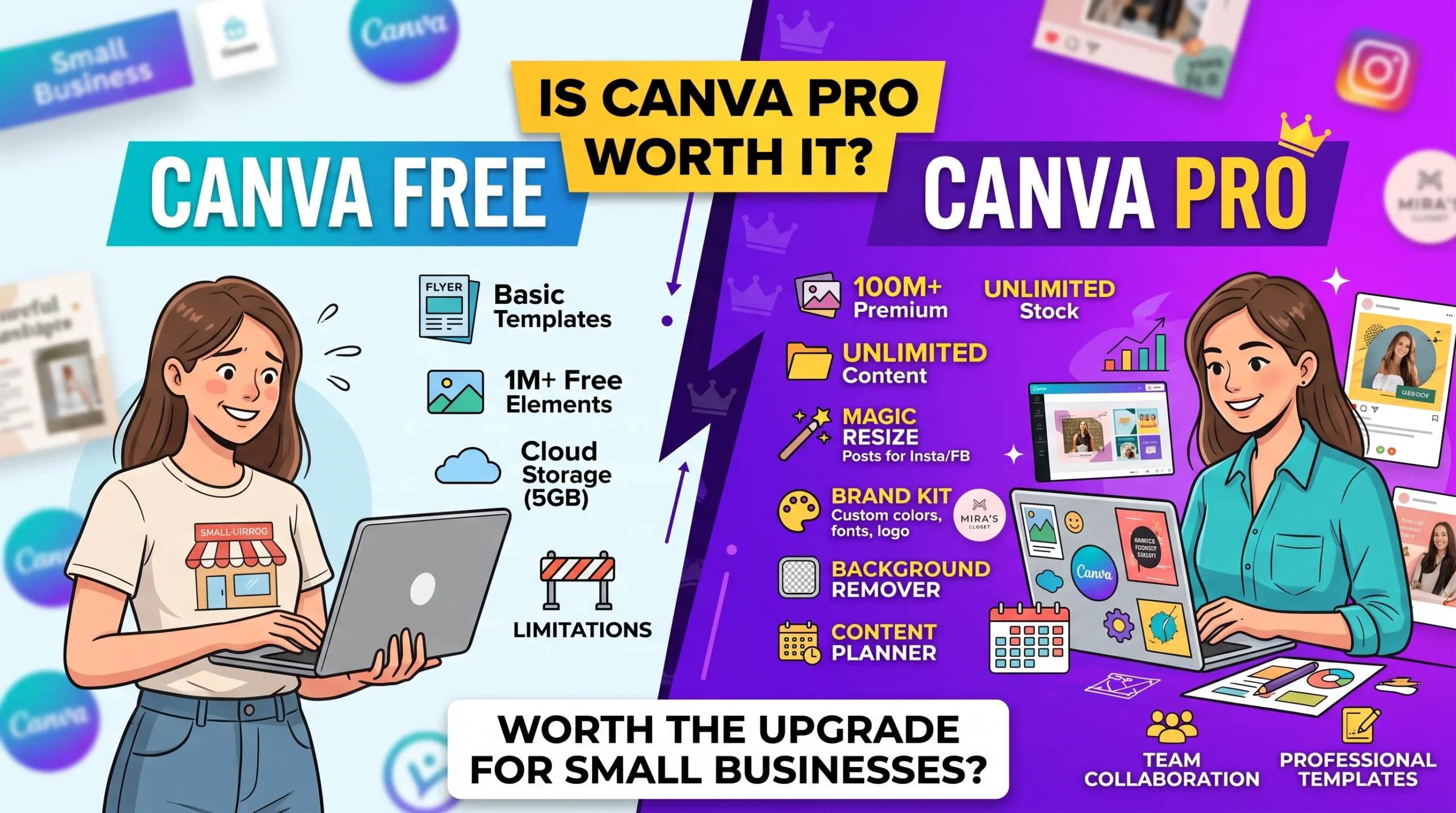
The truth is, almost everyone starts out with Canva Free. You make a few social posts, a quick flyer for an event, and everything feels great. But after a week or two, you run into that annoying little gold crown icon on almost every good template, photo, or font. That’s usually the moment you pause and ask yourself: is Canva Pro actually worth paying for, or is the free version good enough for what I need?
Canva has become the default visual engine for millions of small business owners, freelancers, and marketers. The free tier gives you a functional, drag-and-drop workspace with zero upfront investment. Yet, almost anyone who has designed a few social posts, brochures, or pitch decks has hit that familiar gold crown icon prompting an upgrade to Canva Pro.
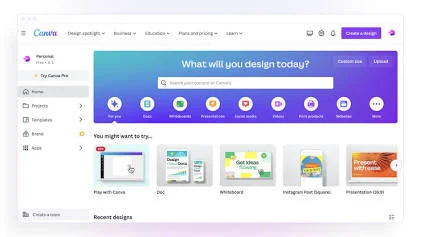
The free plan is not a crippled trial; it is a permanent tier designed to handle lightweight visual creation.
For someone needing an occasional church bulletin, a student report cover, or two simple Instagram posts a month, Canva Free gets the job done without costing a cent.
The decision to pay comes down to workflow speed and brand consistency. Canva Pro costs $15 to $18 per month (or around $120 to $180 per year when paid upfront for a single user, depending on regional discounts and billing structure).
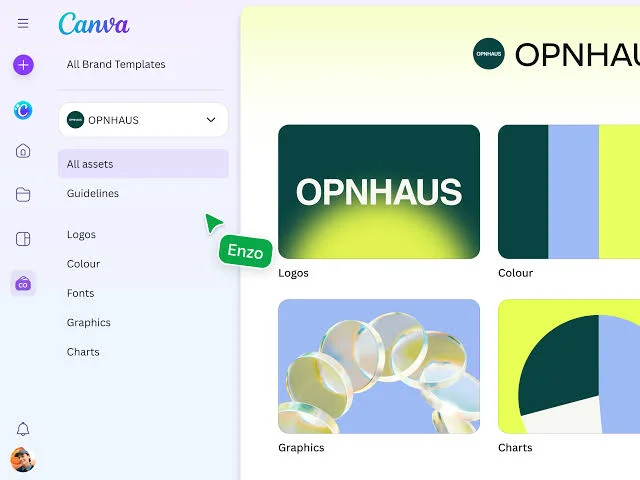
Here are the six features that make the paid tier commercially viable:
Extracting a product photo from its background in standard graphic software requires manual masking or path clipping. Canva’s AI background remover handles e-commerce product photos, headshots, and transparent PNG stickers in a single click, saving hours for anyone running an online store.
If you create a promotional banner, you rarely need it in just one dimension. You need a 1080×1080 square for Instagram, a 9:16 vertical canvas for Reels and TikTok, a landscape format for LinkedIn, and a wide layout for Facebook banners. Free users must manually rebuild every layout from scratch. Magic Switch resizes your design into multiple dimensions instantly, retaining asset positions and typography.
Maintaining visual consistency is hard when you have to repeatedly paste hex color codes and search for uploaded logos. Pro lets you configure up to 5 distinct Brand Kits (color palettes, custom font uploads, logos, and iconography). Every team asset automatically displays your primary styles right inside the editor sidebar.
Free accounts cannot export transparent PNGs; everything exports with a flat white or solid background. If you need clean logo overlays, floating UI elements, or crisp vector SVG graphics for web developers and screen printing, Pro is a strict requirement.
Canva Pro unlocks over 141 million premium stock photos, graphic vectors, audio tracks, and full HD/4K videos. Subscribing to external stock sites (like Shutterstock or iStock) often costs $29 to $49/month alone. Consolidating stock licensing directly into the editor saves substantial overhead.
Pro lets you link business channels (Instagram, Facebook, LinkedIn, Pinterest, Twitter/X) and schedule designs directly from the canvas. This frequently eliminates the need for entry-level third-party social media schedulers.
For me, the upgrade is not really about having access to millions of stock photos. It is about the time you save on boring, repetitive tasks. Being able to remove an image background in one click, download a clean logo with a transparent background, or resize one graphic for three different platforms without starting over is huge. If you design stuff every day or run an online shop, those little things add up to hours of saved time every week.
How to Trace a Fake Social Media Account
| Feature | Canva Free | Canva Pro | Small Business Impact |
| Pricing | $0 | ~$120–$180 / year (single seat) | Low, predictable operational cost |
| Stock Assets | ~4.7 Million | 141+ Million | Cuts external stock photo subscriptions |
| Background Remover | Limited / trial credits | Unlimited one-click removal | Essential for e-commerce listings |
| Magic Resize | Manual adjustment only | Instant multi-format conversion | Multiplies cross-platform content velocity |
| Brand Kits | 1 kit (up to 3 colors) | 5 comprehensive kits + custom fonts | Keeps collateral unified and professional |
| Cloud Storage | 5 GB | 100 GB to 1 TB | Eliminates local storage constraints |
| Transparent Export | Not supported | Transparent PNG & SVG | Required for logos and apparel merchandise |
| Social Scheduling | Manual upload only | Direct multi-platform scheduler | Saves switching between scheduling apps |
The biggest source of confusion around Canva Pro is user licensing. Canva Pro is strictly a single-user plan.
If you run a small business with multiple employees, virtual assistants, or business partners who require simultaneous access, you cannot simply add secondary seats to a Pro subscription. Canva moves collaborative multi-seat organizations to Canva Business, which charges on a per-person basis (roughly $250/seat/year).
Solo Freelancer / Solopreneur:
  Canva Pro = ~$120 - $180 / year (Covers 1 User)

Growing Small Business (3 to 5 team members):
  Canva Business = ~$250 / user / year ($750 - $1,250 / year total)
Solo founders and micro-businesses can operate smoothly on a single Pro seat. However, if your agency requires independent logins, asset approval flows, and centralized administration, you must budget for the per-seat Business model.
Upgrading is not necessary for everyone. Stick with the free plan if:
For any small business owner or active freelancer generating regular client-facing material, Canva Pro pays for itself rapidly.
If the background remover, automated multi-format resizing, and integrated Brand Kit save you just two hours per month, the software delivers an immediate return on investment relative to your hourly billable rate. Add the savings from dropping standalone stock asset packages and basic social scheduling apps, and Canva Pro easily ranks among the highest-leverage software investments a small business can make.
In last my point of view is if you only design something once in a blue moon, stick to the free plan. There are plenty of free workarounds out there, and you don’t need another subscription. But if you’re trying to build a consistent brand, sell products, or post regularly on social media, Canva Pro pays for itself within the first week. It just takes the headache out of graphic design when you don’t have an actual designer on payroll.

One thought on “Is Canva Pro Worth It? Free vs Paid Features for Small Businesses”